
ScreenPal for screen recording, editing and producing captions
Article sections
With ScreenPal, it is easy to create screen recording videos, edit them, and produce captions. In addition to cutting and trimming, you can also add other video clips to your video, such as Zoom recordings, as well as music or images. ScreenPal is used for producing videos.
Implementation and installation of the application
Voit tilata lisenssin ScreenPal -palveluun Helpdesk-tiketillä (IT – palvelut ja laitteet / Ohjelmistot, lisenssit, asennukset). Ilmoita lisenssin tilauksen yhteydessä kohdenumero kirjanpitoa varten, lisenssin käytöstä ei veloiteta erikseen. Pääset kirjautumaan palveluun tunnuksella, joka lähetetään sinulle tilauksen tekemisen jälkeen. Lisenssi on saatavilla vain henkilökunnalle.
- Click on the Accept invitation link in the invitation email you receive

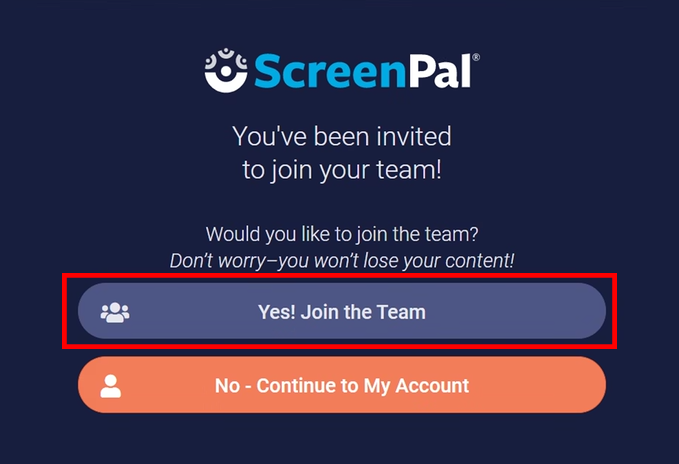
- In the next window, click on the link YES! Joint the Team
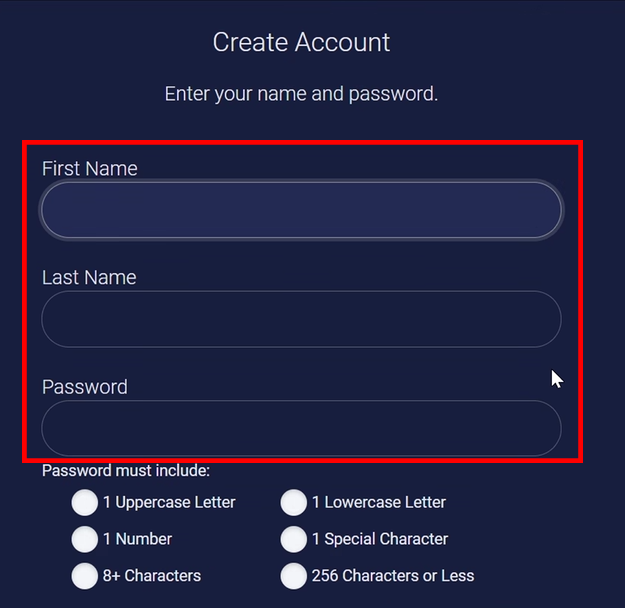
- In the account creation window, fill in the fields with your first and last name and create a login password.
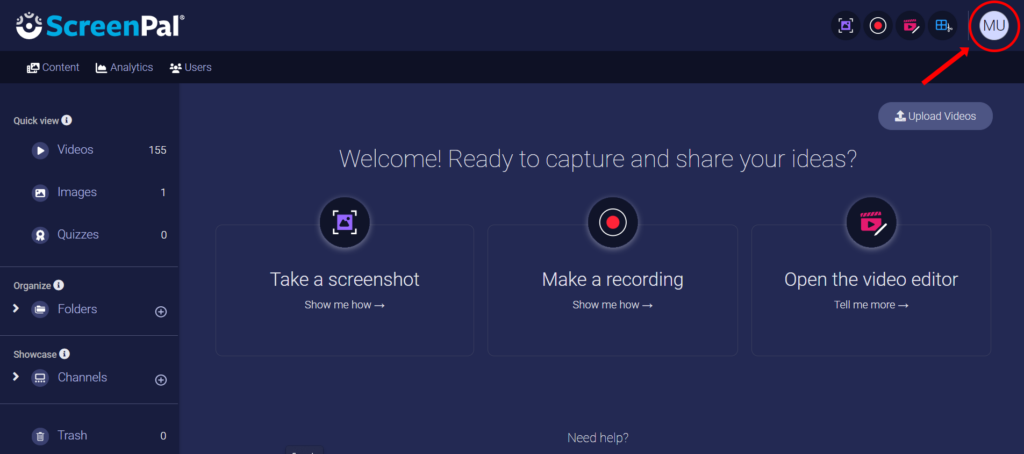
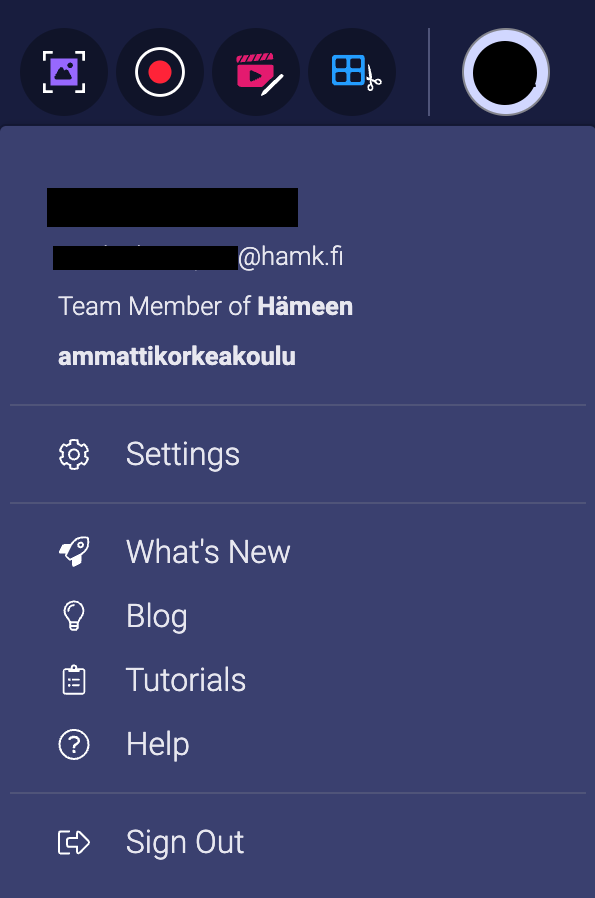
- You will be directed to the screenpal.com page. Click the initials icon in the upper-right corner of the screen and check whether your user account has been connected to HAMK’s team account: Team Member of Hämeen Ammattikorkeakoulu.
- If your account is merged, you can proceed to the next step. If your account has not been merged with your HAMK team account, please submit a ticket to the HAMK HelpDesk and proceed with the installation only after your account has been merged with your HAMK team account.
- Once your account has been merged:
- WINDOWS users – you can continue directly to the next step.
- MAC users – contact Helpdesk to have the ScreenPal application installed on your work computer.
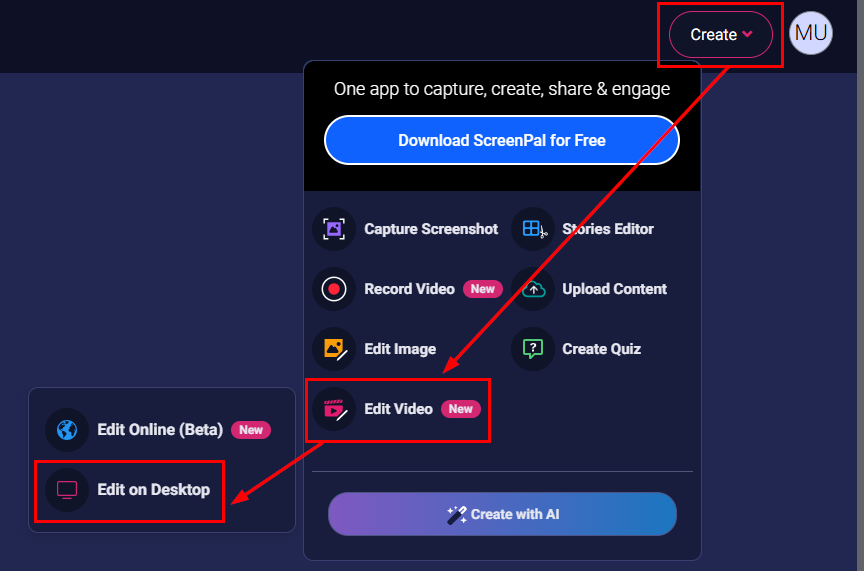
- Download and install the ScreenPal desktop application on your work computer as follows: click the Create button in the upper-right corner of the screen and select Edit Video / Edit on Desktop from the menu that opens.
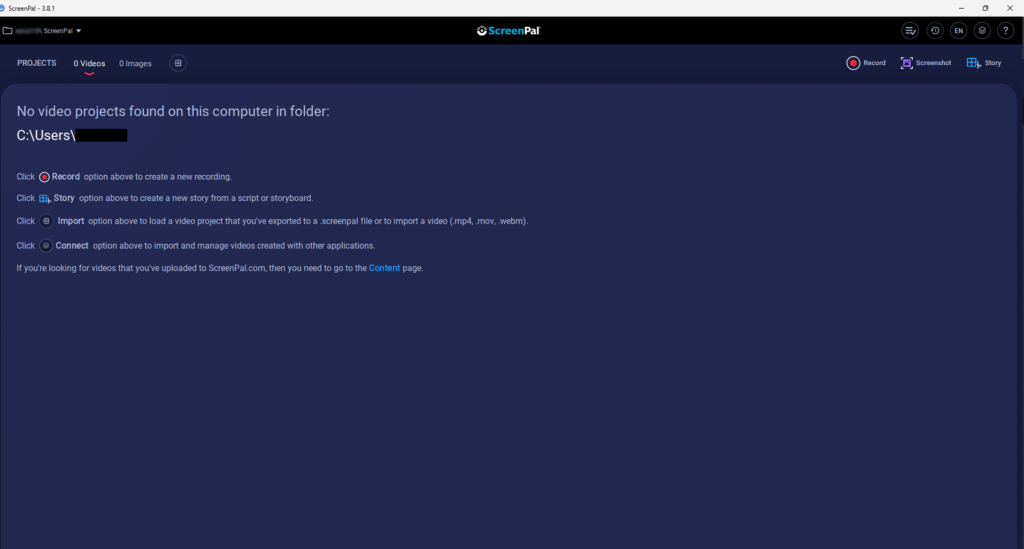
- Now you are ready to start using the application. Always use the app from the desktop icon (ScreenPal), not from the web page (screenpal.com).
Instructions for using the service
In this regard, you can complete the competence mark (only HAMK staff):
